

One visual operating view
Bring assets, conditions, priorities and active work together. See the whole system without piecing together spreadsheets and updates.
VEGETATION MANAGEMENT. CONNECTED.
Turn your infrastructure data into prioritized, field-ready work with LineIntel Command.
One operating environment for your office, contractors and crews. Built around the system you already manage.
Your infrastructure data. Your real work.
Shapefiles / Existing imagery / Work orders & records / Operational knowledge
THE LINEINTEL VALUE
Disconnected plans. Manual handoffs. Limited crews. Command brings the work into focus so your people and equipment can accomplish more.
Bring assets, conditions, priorities and active work together. See the whole system without piecing together spreadsheets and updates.

Focus on actual need. Help crews address higher-risk work earlier as conditions and priorities change.

Coordinate office teams, contractors and field crews with visibility into active and completed work.

Send assignments, capture status updates and upload images directly from the field.

Reduce duplicate effort, avoidable truck rolls and time spent searching for the information to do the job.
Keep notes, images and operating history together for future planning, compliance and reimbursement.
INSIDE COMMAND
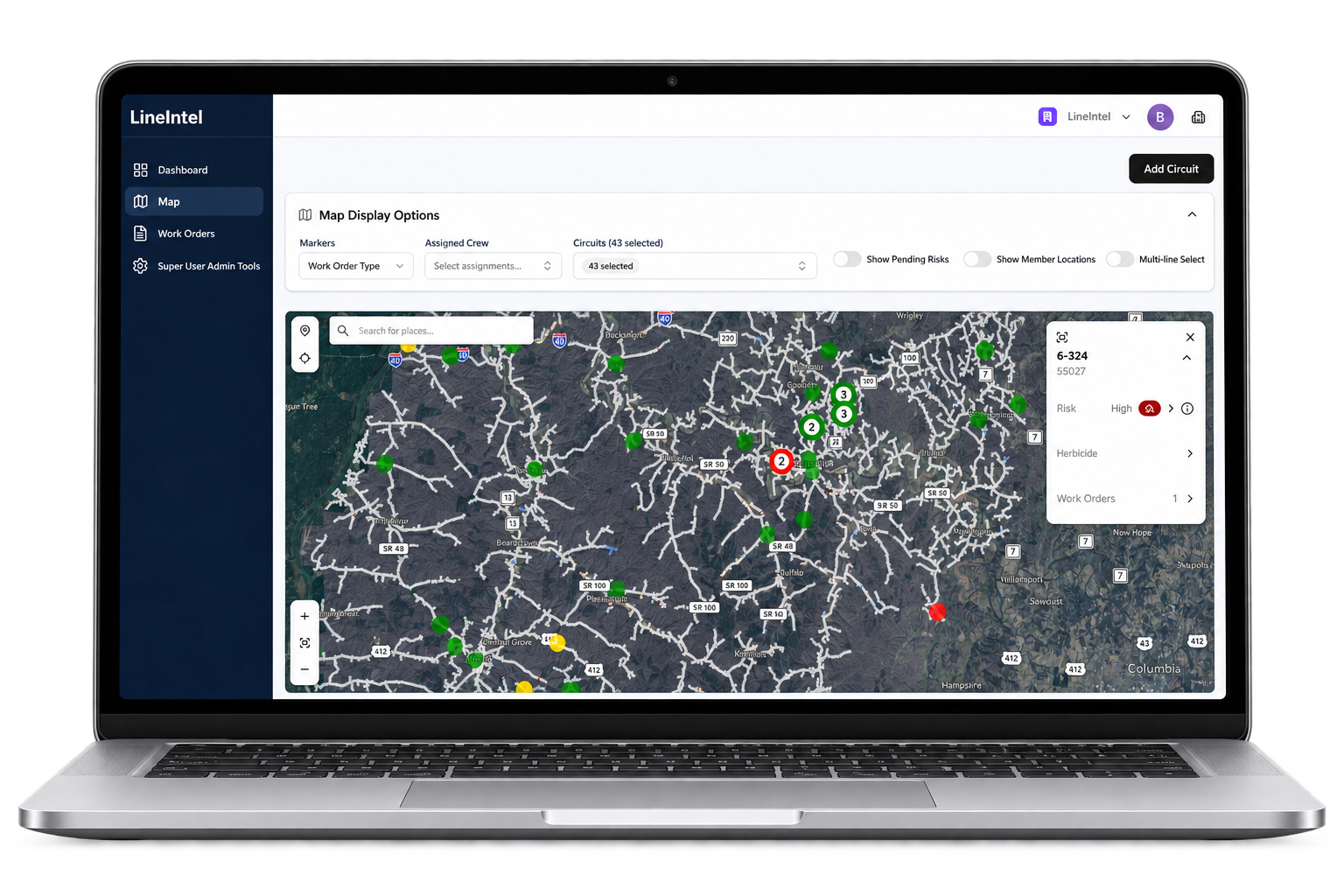
From the big picture to the next assignment, keep planning and field execution connected.
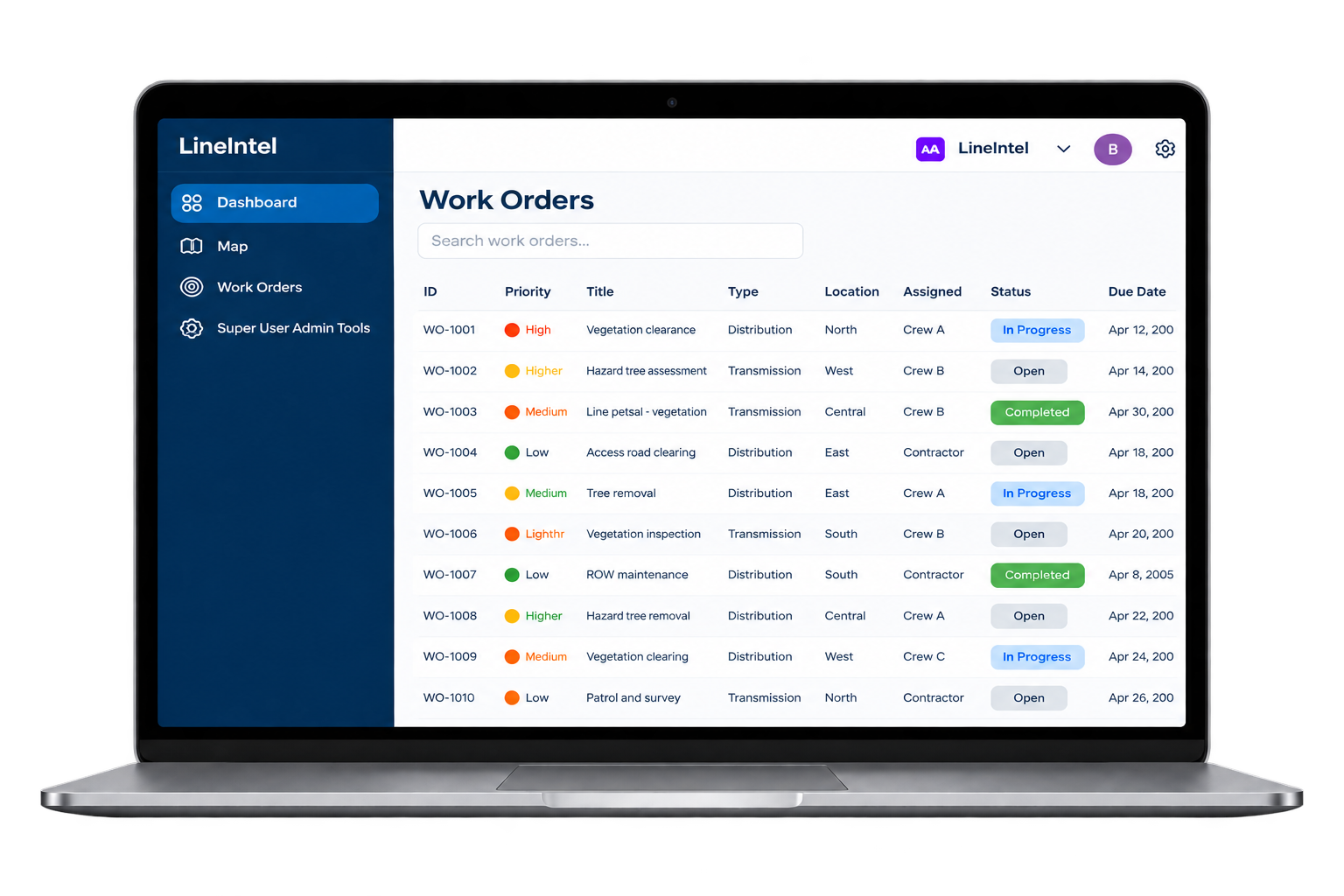
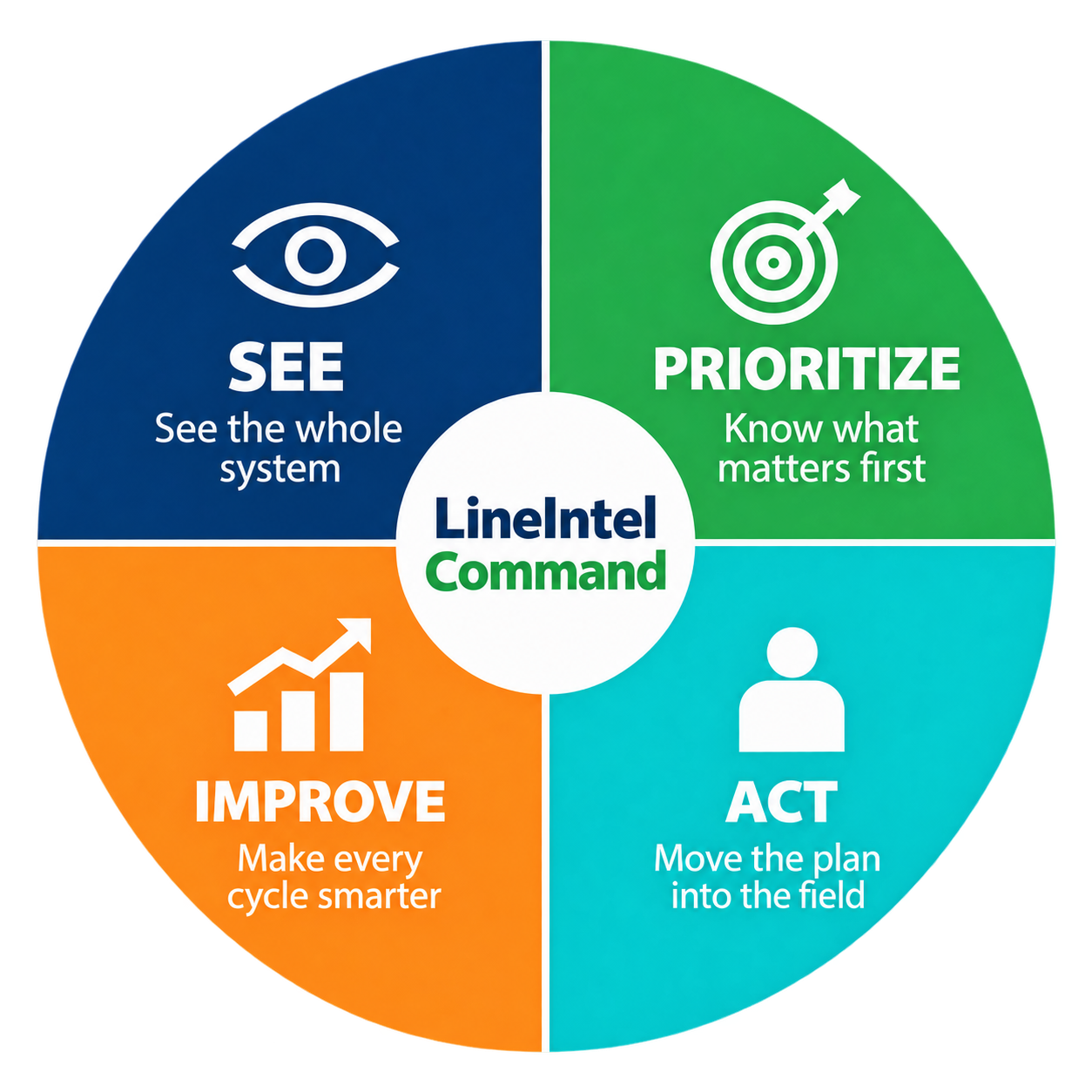
Bring your system and active work into one operating view.
Decide what matters first, with location and need in context.
Assign work and capture progress directly from the field.
Use notes, images and outcomes to inform the next cycle.
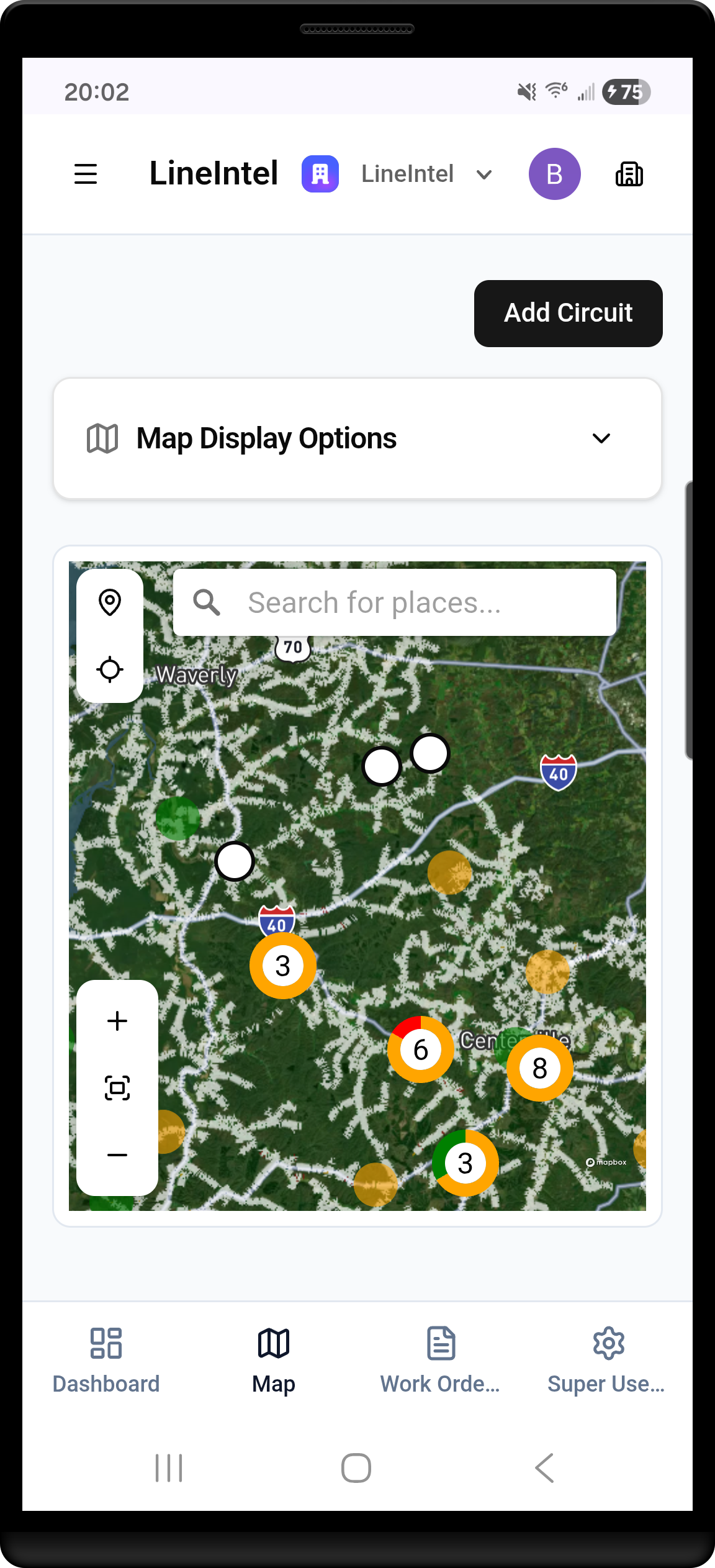
MOBILE FIELD EXECUTION
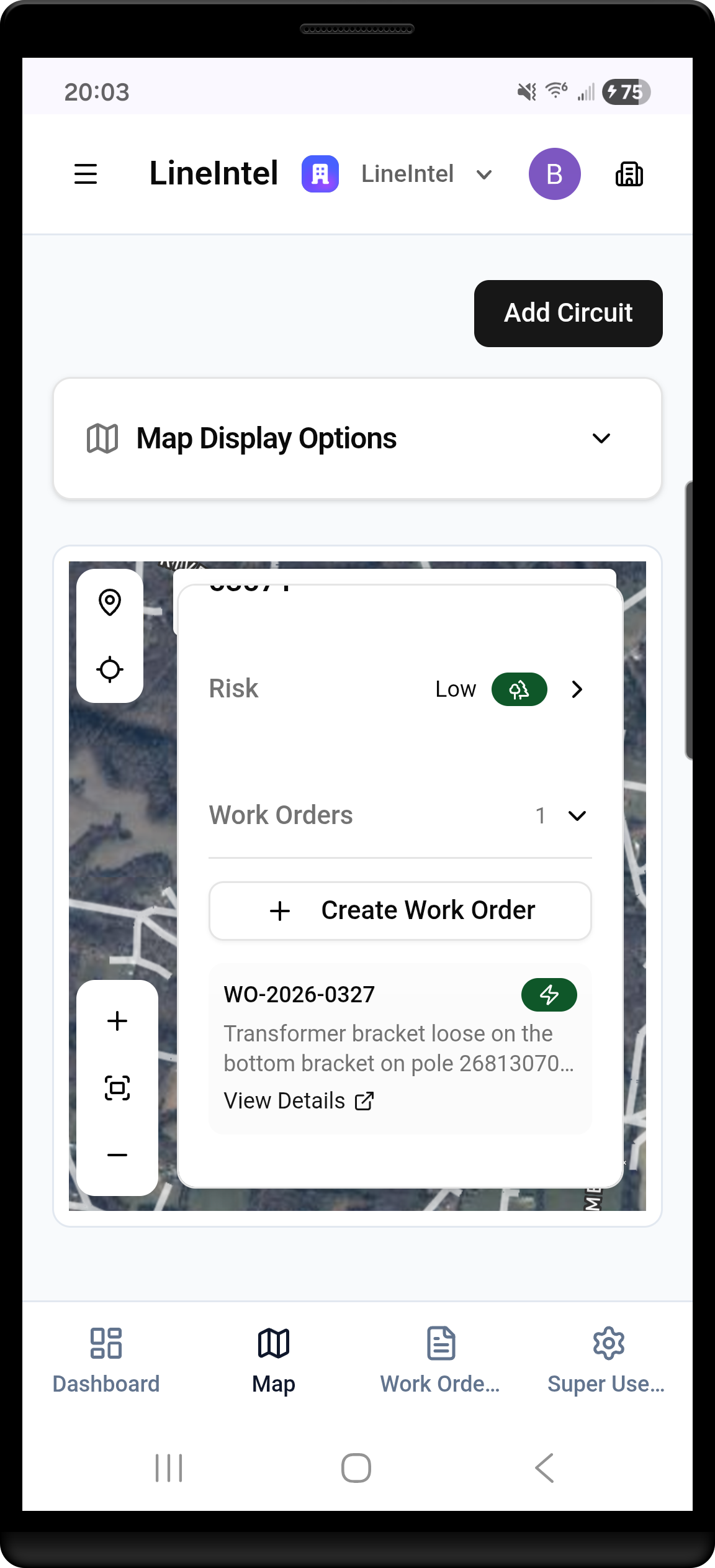
Locate the work, review the record and create follow-up assignments. Capture local photos, notes and progress as work moves forward.
REAL-WORLD VALIDATION
During Ice Storm Fern in 2026, Meriwether Lewis used Command to establish a common operating view, coordinate dispersed crews and verify completed work.
Read the customer datasheetA FEW THINGS TO KNOW
Have a question about your system?
Talk to the LineIntel team
Command is LineIntel’s utility work management platform. It brings infrastructure data, priorities, work orders, crew assignments and field records into one visual operating environment.
No. Start with existing shapefiles, imagery, work orders and your team’s operational knowledge. New inspection data can be added as your program evolves.
Vegetation and right-of-way managers, operations teams, storm-response leaders, contractors and field crews who need to connect planning with execution.
Mobile field execution connects assignments with status updates, notes and images so office teams can follow active and completed work.
The team coordinates access, reviews your available data and agrees on a practical starting area and workflow. You can then work through planning, assignments and field updates using your own system.
During Ice Storm Fern in 2026, Meriwether Lewis went from shapefiles to a common operating view in less than four hours. Your setup depends on data readiness, scope and workflow.
A chance to explore Command with your own infrastructure data and work. Submit a request and the team will coordinate access and the starting workflow with you.
No. The form collects your contact details and trial goals. The team will coordinate data onboarding separately.
Start with your existing infrastructure information and use Command to connect it with operational work. Discuss formats, exports and integration requirements with the team during scoping.
Command helps organize work and supporting records. Your team remains responsible for engineering decisions, applicable requirements and final verification. The platform is not a guarantee of compliance or a prediction of future failures.
No. Command works with existing data today. LineWalker is a precision-capture capability in development, with validation expected in 2027.
Review the workflow and results with the LineIntel team and discuss the next step for your organization. Contact the team for commercial terms and deployment requirements.
GETTING STARTED
Choose a starting area, work program and trial goals with our team.
Identify useful shapefiles, imagery and work records. We’ll coordinate access and data onboarding.
Work through assignments, status updates and review using your own system.
YOUR SYSTEM. YOUR NEXT STEP.
Start a 21-day free trial using your own infrastructure data and work.
Tell us a little about your team. We’ll contact you to coordinate trial access and help you get started.